
True Fortune Casino doesn't offer a native app to download from the App Store or Google Play. Instead, the whole casino runs through your phone's browser, giving you the same slots, live tables and cashier you'd find on desktop, with nothing to install. This page explains exactly how to open it on your phone, save it to your home screen, and what's available once you're logged in.
Getting Started on Mobile
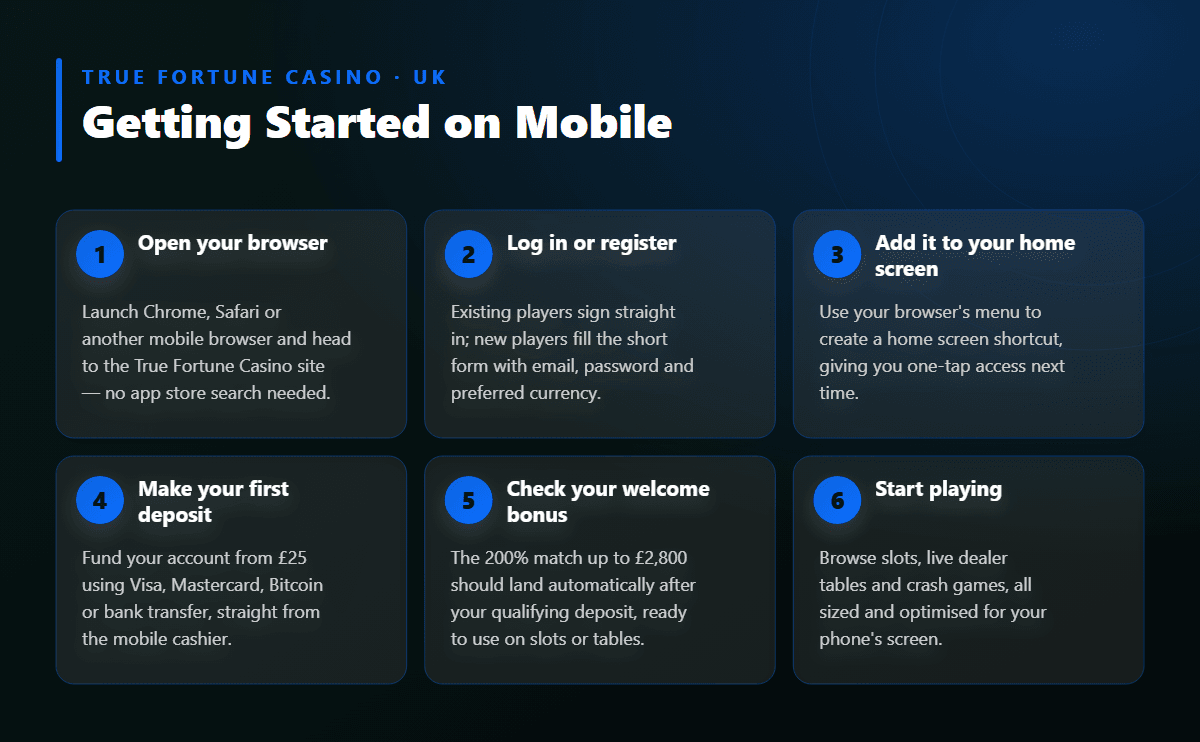
- 1Open your browserLaunch Chrome, Safari or another mobile browser and head to the True Fortune Casino site — no app store search needed.
- 2Log in or registerExisting players sign straight in; new players fill the short form with email, password and preferred currency.
- 3Add it to your home screenUse your browser's menu to create a home screen shortcut, giving you one-tap access next time.
- 4Make your first depositFund your account from £25 using Visa, Mastercard, Bitcoin or bank transfer, straight from the mobile cashier.
- 5Check your welcome bonusThe 200% match up to £2,800 should land automatically after your qualifying deposit, ready to use on slots or tables.
- 6Start playingBrowse slots, live dealer tables and crash games, all sized and optimised for your phone's screen.
🎰 Does True Fortune Casino Have an App?
There's no standalone app for iPhone or Android, and that's by design rather than an oversight. True Fortune Casino, running since 2018, built its platform to work directly in mobile browsers instead, which means you avoid app store approval delays, storage limits and forced updates entirely. Everything you'd expect from an app — smooth navigation, fast loading, full game access — is handled by the site itself through Chrome, Safari or any modern mobile browser.
This browser-first approach also means the casino works the same way regardless of which phone you own. There's no separate Android build or iOS version to keep track of, and no risk of an outdated app missing new titles or promotions. Whatever appears on the desktop site appears on mobile too, updated at the same time.
Mobile Access at a Glance
| Feature | Details |
| Native app | None — the casino is browser-based only |
| Supported devices | Android and iOS phones and tablets |
| Browsers | Chrome, Safari and other modern mobile browsers |
| Game library on mobile | 200+ titles from Rival Gaming and Betsoft |
| Live dealer tables | Roulette, blackjack, baccarat, Caribbean poker, Dragon Tiger |
| Crash games | JetX, Balloon |
| Cashier on mobile | Same deposit and withdrawal methods as desktop |
| Support on mobile | Live chat available around the clock |
Playing True Fortune Casino From Your Phone's Browser
Opening the casino on your phone takes the same steps as visiting any website. Type the address into your browser's URL bar, and the site automatically adjusts its layout to fit your screen — buttons, menus and game tiles resize so everything stays easy to tap. There's no separate mobile URL to remember and no redirect to a cut-down version of the site.
Because the platform is responsive rather than app-based, you get full feature parity: the same cashier, the same account settings, and the same game catalogue you'd see on a laptop. If you switch from your phone to a tablet or back to desktop, your account, balance and bonus progress carry over automatically since everything lives on the same account rather than inside a downloaded app.
Adding True Fortune Casino to Your Home Screen
Even without an app, you can still get a one-tap icon on your phone. On an iPhone, open the site in Safari, tap the share icon, then choose Add to Home Screen — this drops a shortcut on your screen that opens straight to the casino. On Android, open the site in Chrome, tap the menu (three dots), and select Add to Home Screen or Install App depending on your browser version.
This shortcut behaves like a regular app icon without the download: tapping it opens your browser directly to the casino, skipping the step of typing the address each time. It takes up almost no storage compared with a downloaded app, since it's simply a bookmark dressed up as an icon.
What's Available on Mobile
Mobile players get the full catalogue of over 200 games, built by Rival Gaming and Betsoft, with nothing held back for a desktop-only experience. Featured slots like Chilli Pop, Sugar Pop and Almighty Sparta load quickly on mobile data or Wi-Fi, and the touch controls are sized for phone screens rather than squeezed down from a desktop layout.
Live dealer tables run on mobile too, including live roulette, blackjack, baccarat, Caribbean poker and Dragon Tiger, streamed directly in your browser without needing a separate plug-in. If you prefer faster-paced rounds, crash games such as JetX and Balloon work well on mobile given their simple tap-to-cash-out mechanics. Support is reachable around the clock from your phone, so if a game won't load or a deposit seems stuck, help is just a tap away.
Logging In and Registering on Mobile
Signing up from your phone takes a few minutes. Open the browser, head to the registration page, and fill in your email, a password and your preferred currency — choosing GBP keeps everything straightforward for UK players. Confirm you're aged 18 and over, agree to the terms, and check your inbox for the confirmation link to activate the account.
Returning players simply enter their email and password to get back into their dashboard, where balance, bonus status and recent games are all visible. If you forget your password, the reset link arrives by email within minutes, and mobile verification (uploading ID or a utility bill) can be done by snapping a photo directly from your phone's camera rather than scanning a document separately.
Mobile Payments and Support
The mobile cashier mirrors the desktop one exactly, so deposits and withdrawals use the same minimums and methods. A deposit starts from £25 using Visa, Mastercard, Bitcoin, bank transfer, Skrill, Neteller or Paysafecard, and withdrawals begin at £100 once your account is verified. Full details on processing times and limits are covered on the payments page, worth checking before your first cashout request.
Because withdrawals can take up to thirty-five days depending on the method and verification queue, it's worth submitting your ID and proof of address early rather than waiting until you want to cash out. Support is available every hour of the day through live chat, accessible from the same mobile menu you use to reach the cashier, so questions about a pending payment or a bonus balance get answered without leaving the browser.
FAQ
No — the casino runs entirely through your phone's browser, so there's nothing to install from an app store.
No, mobile play uses the same account and balance as desktop, with no additional charges for browser access.
Yes, live roulette, blackjack, baccarat and other dealer-hosted tables run smoothly through a mobile browser.
Barely any — it simply creates a shortcut to the browser page, unlike a full app download.
No manual updates are needed; the browser-based site refreshes automatically whenever you load it.
Yes, the mobile cashier supports the same payment methods as desktop, including cards, bank transfer and crypto options.
Yes, the mobile site uses the same encrypted connection as desktop, keeping your login and payment details protected.